
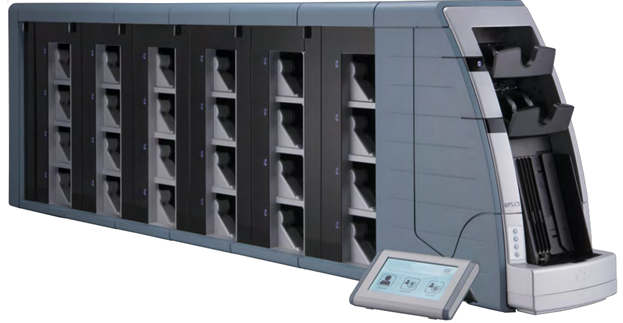
BPS C5 Basic Technical #03032026

March 3 @ 9:00 am - March 6 @ 5:00 pm0.00
Loading Events

G+D USA Training Requirements

ALL Personnel:  You must log in (Course Enrollment Login) and successfully pass the GDAI Competency Evaluation before you can enroll in a training course.  Training attire is work casual. 

   Required Items for All Training Courses:
  • Successful completion of the GDAI Competency Evaluation
  • Laptop PC with: (this laptop is a service tool and is expected to remain with the student when they return to their home areas)
    • Windows XP, or Windows 7/10 with VMWare Player 12.1 or 15.5 installed – all operating systems should include full administrator privileges.
    • Microsoft Office suite
    • Adobe PDF Reader
  • USB storage medium, RJ-45 cable, and USB to serial adapter may be required for your class.  Please see the chart below:
Product USB Storage Type RJ45 cable USB/Serial adapter2
BPS C4 16GB USB 2.0 Yes Yes
BPS C5 32GB USB 2.0 Yes No
BPS M3 64GB USB 3.0 Yes No
BPS M5 32GB USB 2.0 Yes Yes

1 RJ45 (Ethernet) port must be fully installed, and the Crossover cable should be 10ft minimum in length

2 PC must contain 1 serial port, or USB to serial adapter with FTDI Chip (G+D P/N 515424000 or Amazon P/N B006AA04K0).

Recommended for All Training Courses:

For the best and most efficient class experience, please make your best effort to know:

  • Which Operating System your BPS machine is currently utilizing (e.g. Windows NT, Windows XP, Windows 10, Windows CE7)
  • What your machine(s) configuration(s) are (e.g. BPS M5-L-4-4-4, BPS M3-1060L, BPS C4-15)
  • What peripheral devices your site has (e.g. BPS Connect, DEG, Header Card Creator)

Recommended Hotel accommodations (ask for the G+D rate) Marriott Residence Inn Dulles 28 Centre

Details

Venue

  • G+D USA Training
  • Location 45925 Horseshoe Dr. Sterling, VA 20166 VA 20166 United States + Google Map
  • Phone +1 (703) 480-2000

Organizer

  • Sean Preston
  • Phone 7034802361
  • Email sean.preston@gi-de.com